> ## Content Index
> Fetch the complete content index at: https://blog.hinablue.me/llms.txt
> Use this file to discover other available public pages before exploring further.
# [IT 鐵人賽] 動態載入 Components Day 21
- URL: https://blog.hinablue.me/2019-ithome-ironman-day-21/
- Published: 2019-09-23T13:28:00.000Z
- Updated: 2026-07-06T18:43:39.000Z
- Author: Hina Chen
- Tags: VueJS, VueJS 2.0, Vue Component, Vue 生命週期, Vue-Router, Vue 動態載入, JavaScript, ITHome, 鐵人賽, 2019
我們又回到動態載入系列了,如果覺得我很煩的話可以先行離席沒關係。由於我昨天整理 Dockfile 的時候有點過於厭世,所以今天我這邊一樣會帶入一些昨天的結構,至於說 Dockfile 的話還沒好,如果想要先看結構的,可以先去我的 Github 上面看。
> [ITHome Ironman 2019 Hybrid App](https://github.com/hinablue/ithomeironman-2019-hybrid?ref=blog.hinablue.me)
---
## 混合模式的動態載入
其實我比較偷懶,上面的例子我直接掃全部的資料夾,然後將檔案加入樣版中。不過這個將來一定會 ~~壞調~~ 壞掉,所以小朋友不要亂學。
```php
$jsFiles = ['main.js'];
foreach (new \DirectoryIterator(ROOT . '/../public/' . $vueStatic['js']) as $file) {
if ($file->isDot() || $file->getBasename() === '.DS_Store') {
continue;
}
if ($file->isFile()) {
$ext = pathinfo($file->__toString(), PATHINFO_EXTENSION);
if ($ext === 'js' && !preg_match('/^[0-9]+\.(.*)/i', $file->__toString())) {
if ($file->__toString() !== 'main.js') {
array_unshift(
$jsFiles,
$file->__toString()
);
}
}
}
}
```
其實在 `vue.config.js` 當中,可以利用 `pages` 來切分你的檔案。但是,你也知道,我們入口處就是一個,切出檔案來對於你的 App 來說幫助不大。這種切分方式比較適合用在不同進入點,需要有不同的應用程序。
> [VUE CLI Configuration Reference, #pages](https://cli.vuejs.org/config/?ref=blog.hinablue.me#pages)
所以說,我們撇除後端這件事情,我們依舊可以用前端的方式來細分你的元件。我們的操作方式大抵上一樣是依賴 Webpack 來做,只是由於 Vue CLI 3.0 把設定檔拿掉了,所以,要換一個方式來寫。然後呢,我們一樣是拿 `pages` 來偷吃步,只是,我們不切 App,我們拿來切元件檔案。
```js
// 前略...
pages: {
app: {
entry: './src/vue/main.js'
},
component: {
entry: './src/vue/component.js'
}
},
// 後略...
```
這樣我們就會產出兩個檔案:
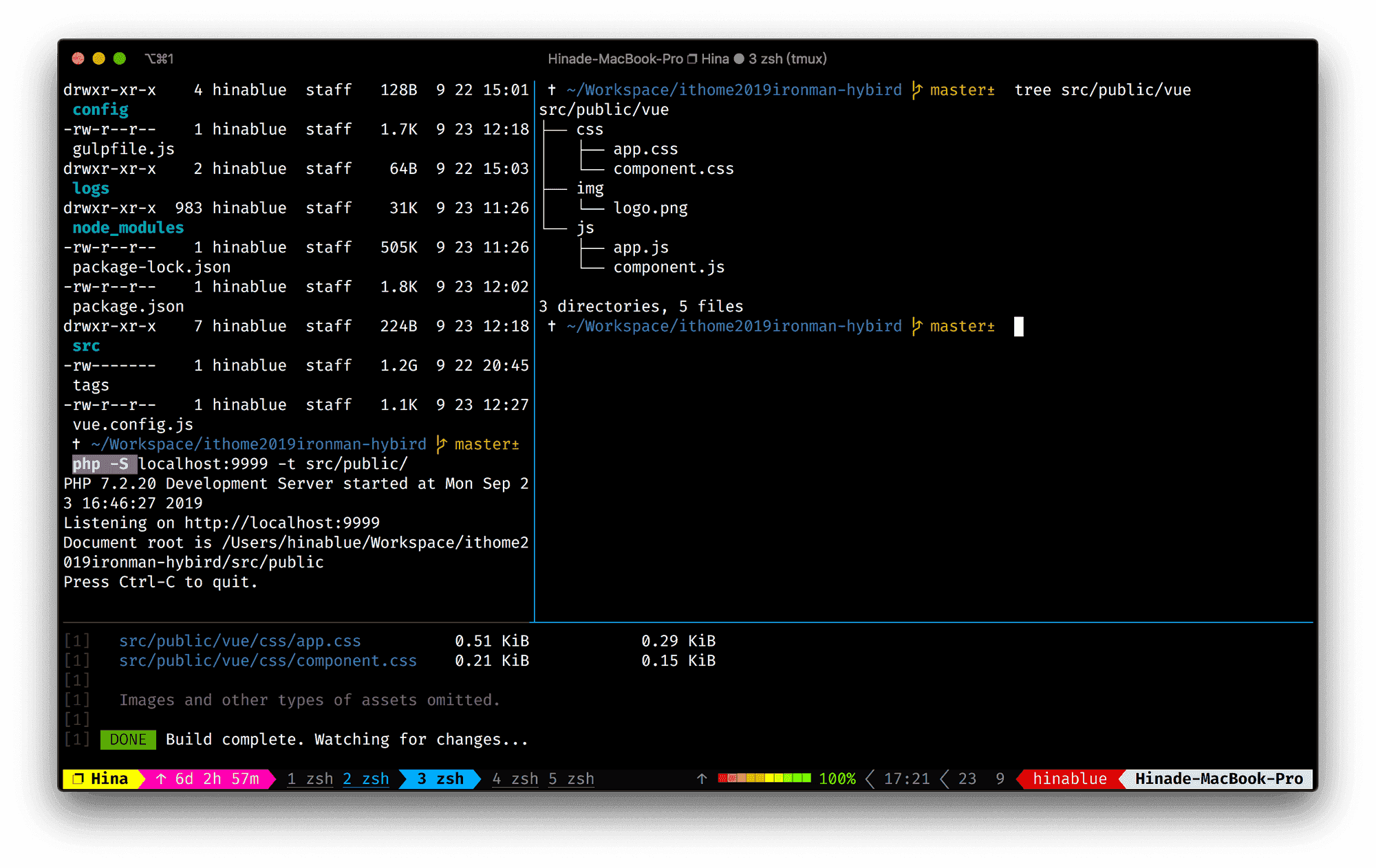
所以說呢,我們那個 `component.js` 具體來說是什麼?
```js
import Vue from 'vue'
import HelloWorld from '@/components/HelloWorld.vue'
Vue.component('MyComponent', HelloWorld)
```
我其實只是放了一個 `Vue.component` 給他而已。那麼,這樣到底能不能使用?
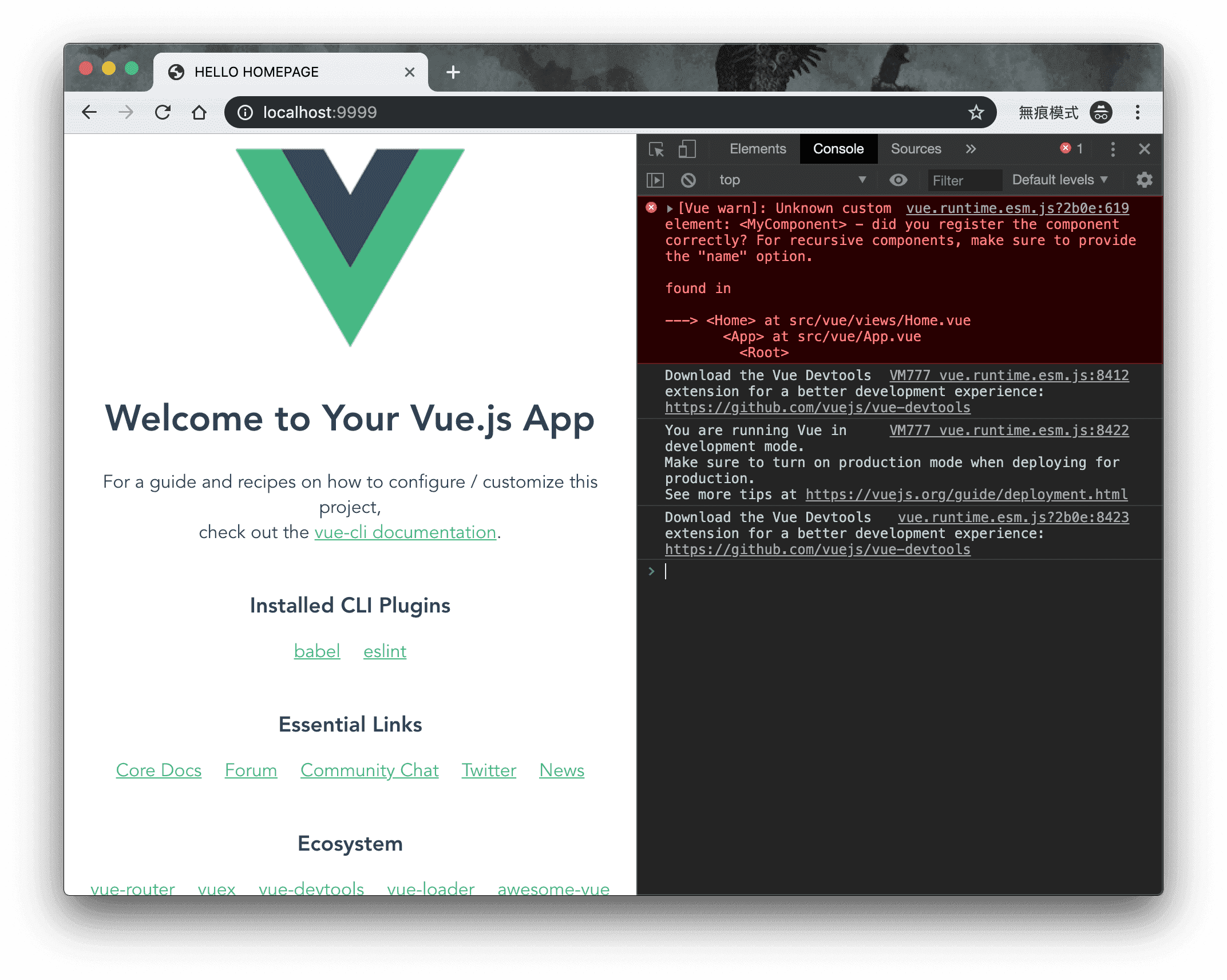
> 這就是傳說中的,你的 Vue 不是我的 Vue 。
所以這種偷吃步的方式看起來不可行,注意了,我們如果偷偷在 `main.js` 把他拉進來,神奇的事情就發生了。
```js
import Vue from 'vue'
import router from '@/router'
import store from '@/store'
import App from '@/App.vue'
Vue.config.productionTip = false
require('./component.js')
/* eslint-disable no-new */
new Vue({
store,
router,
render: h => h(App)
}).$mount('#app', true)
```
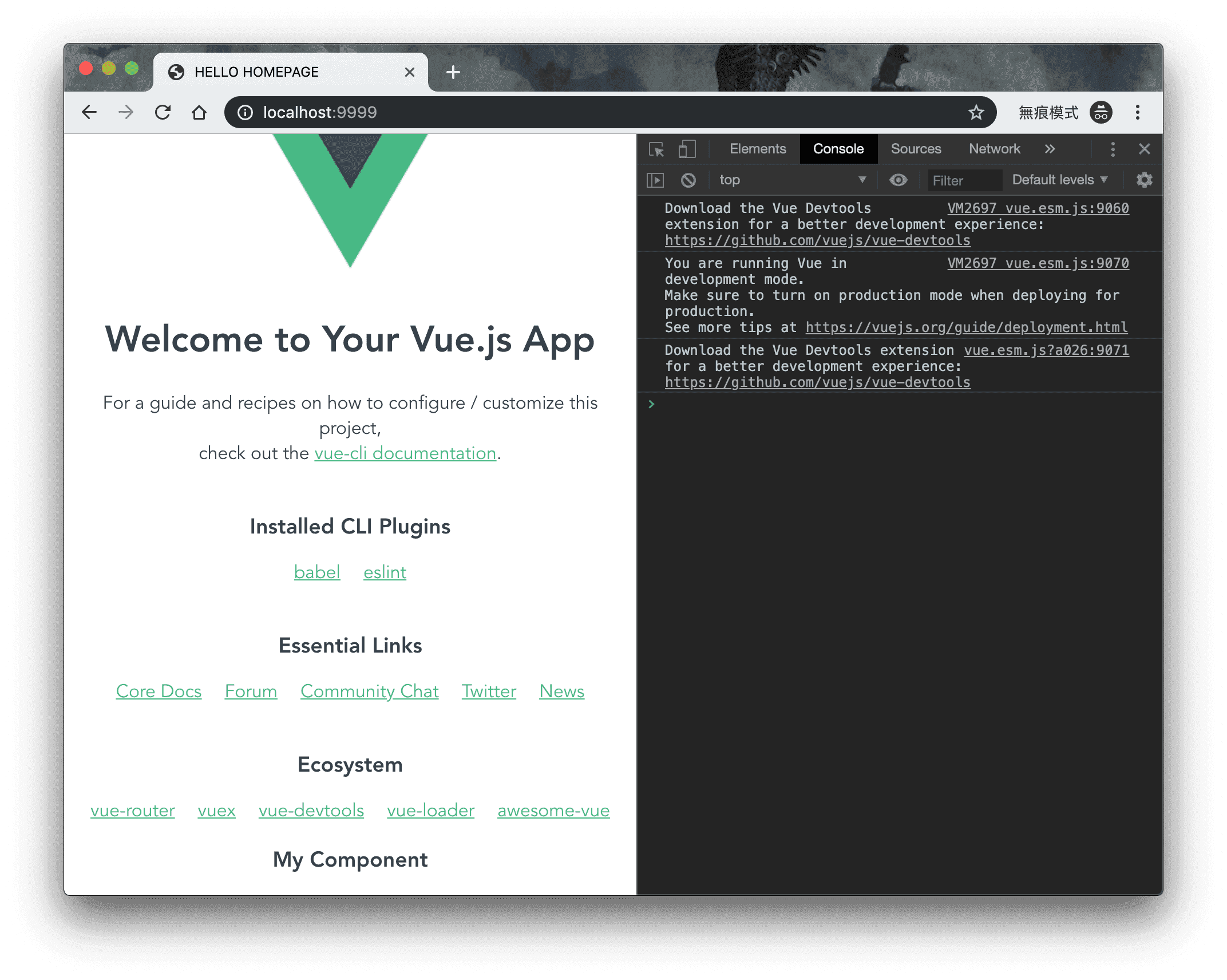
但是,眼尖的人應該會發現,那個 `My Component` 貌似好像包了另外一組 Vue.esm 的樣子?對,實際上我們從封裝的檔案來看,你就會發現他超級大的。
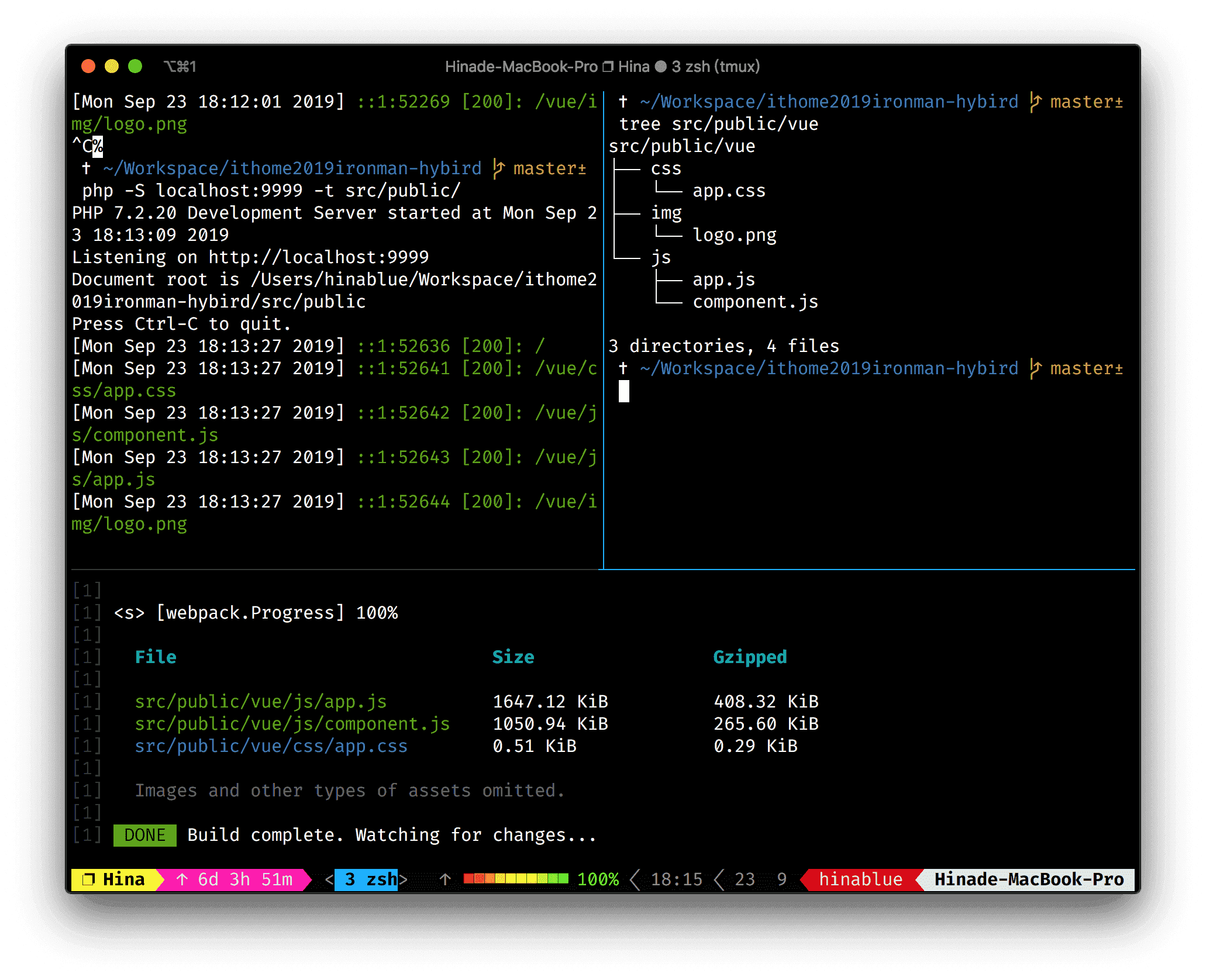
這樣好像不太對勁!每次分開來的檔案都那麼大的話,基本上是完全沒有共用整個 Vue 的模組的。換句話說,原本在 `vue.config.js` 所設定的 `pages`,他還是把他當作兩組 Webpack 來封裝。也就是說,我們必須得在 chainWebpack 的部分加工才行。
> 我個人覺得,Vue CLI 3.0 在這個部分,雖然是標榜零設定,不過,對於我這種比較背骨的人來說,你不給我設定還真覺得有哪裡怪怪的。但是,官方文件也是寫得有點模糊,對於 [Webpack 的部分](https://cli.vuejs.org/guide/webpack.html?ref=blog.hinablue.me#simple-configuration),個人還是覺得,我好像回到 Webpack 用就好了,要重新習慣這個設定有點惱人其實。
---
## babel 的狀況
一般來說,你使用 Vue CLI 3.0 的時候,他會給你一個 `babel.config.js` 檔案,然後裡面有:
```js
module.exports = {
presets: [
'@vue/app'
]
}
```
我個人是習慣這樣,
```js
module.exports = {
presets: [
'@babel/preset-env'
]
}
```
當然你可能會搭配一些 Plugins 來做相關設定。差異在哪?依照我們剛剛的那個例子來看,編譯出來的差異在這裡:
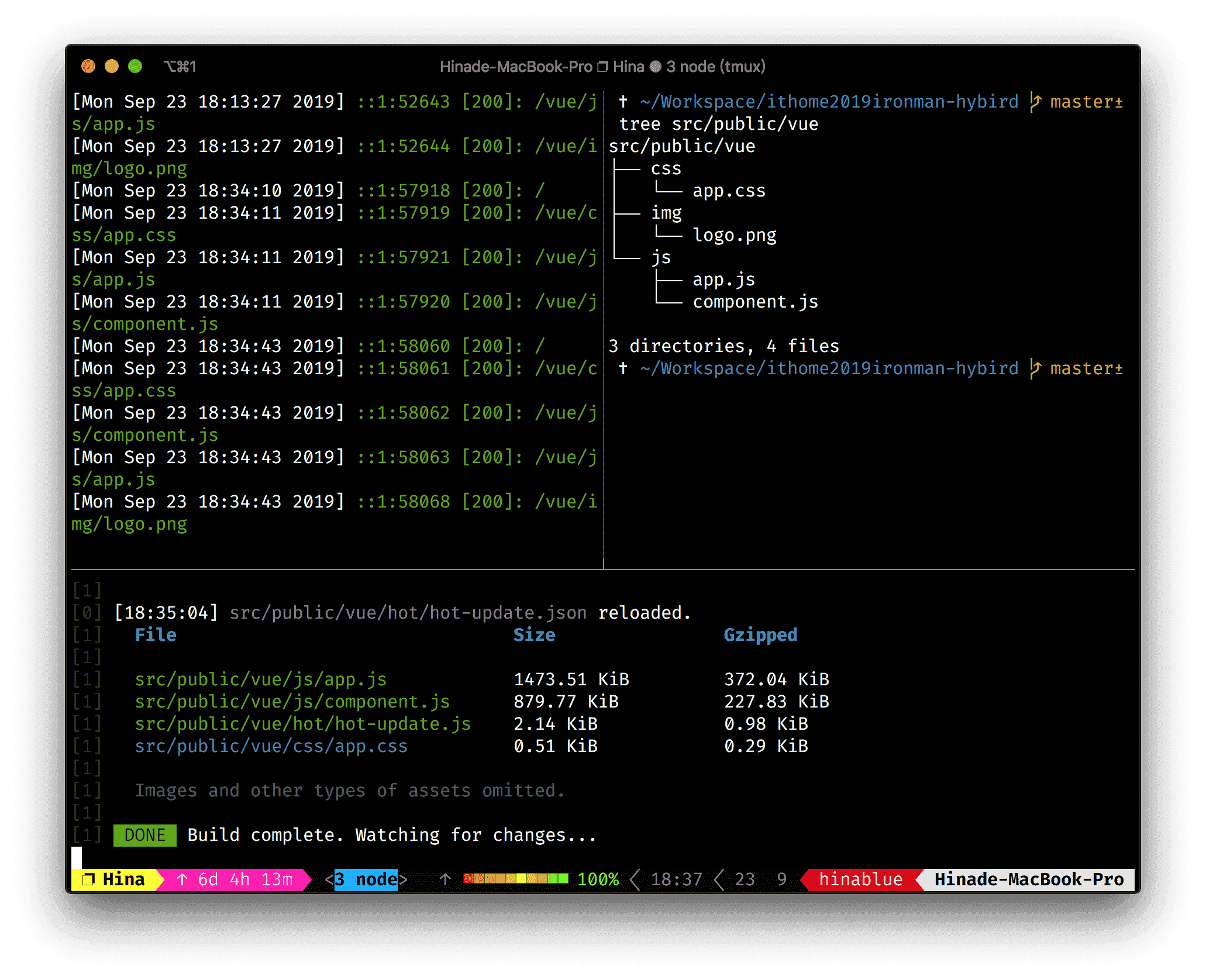
那個 `app.js` 與 `component.js` 大概都小了將近 **200KiB** 左右。我是不知道 `@vue/app` 是不是有做了什麼奇怪的事情。不過,如果你想要用回 Webpack 的話,私心建議把整個專案設定全部看過一次,不然基本上會踩到昨天的雷。
---
## 回歸 Webpack 與魔術方法
不多說,先上圖。
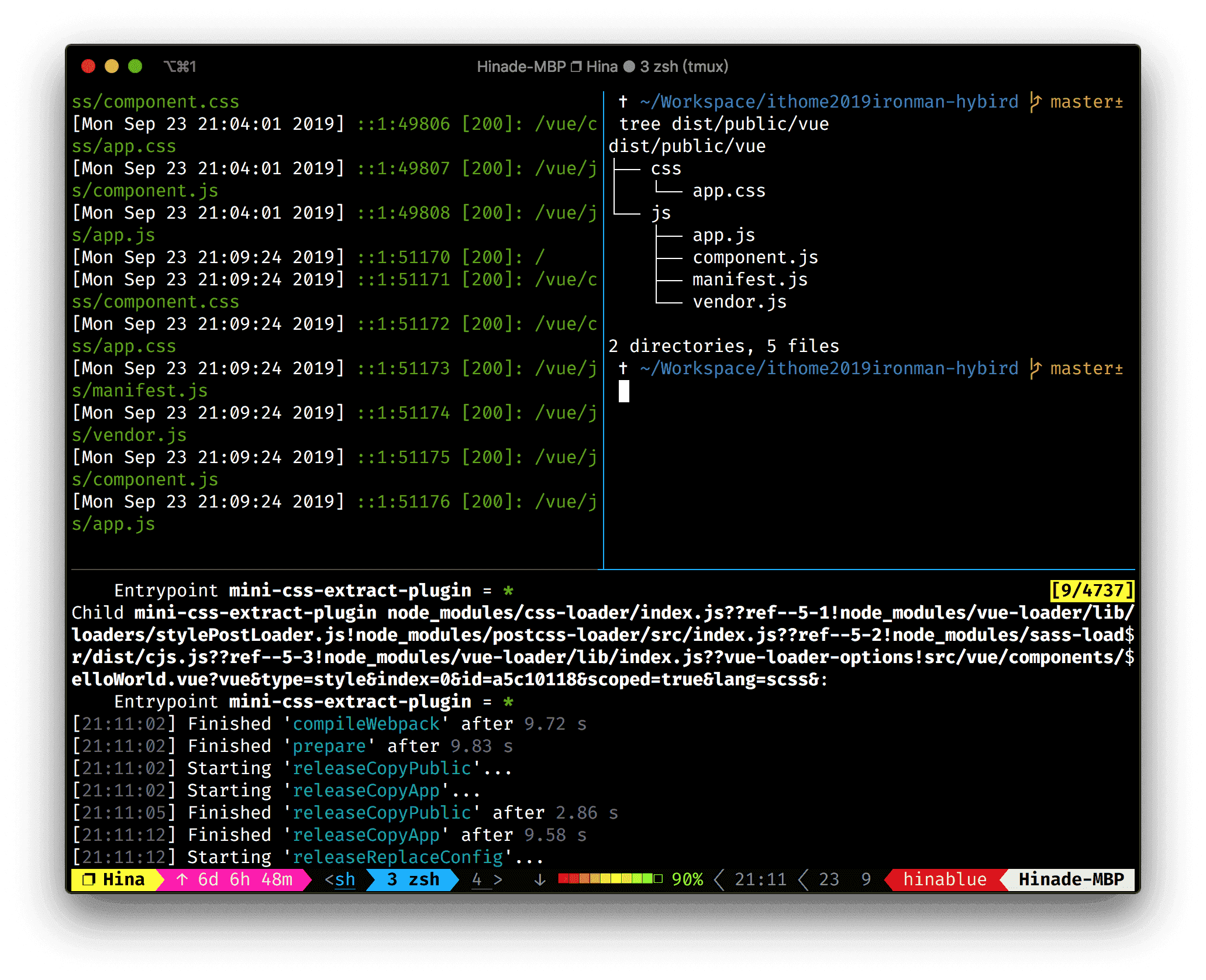
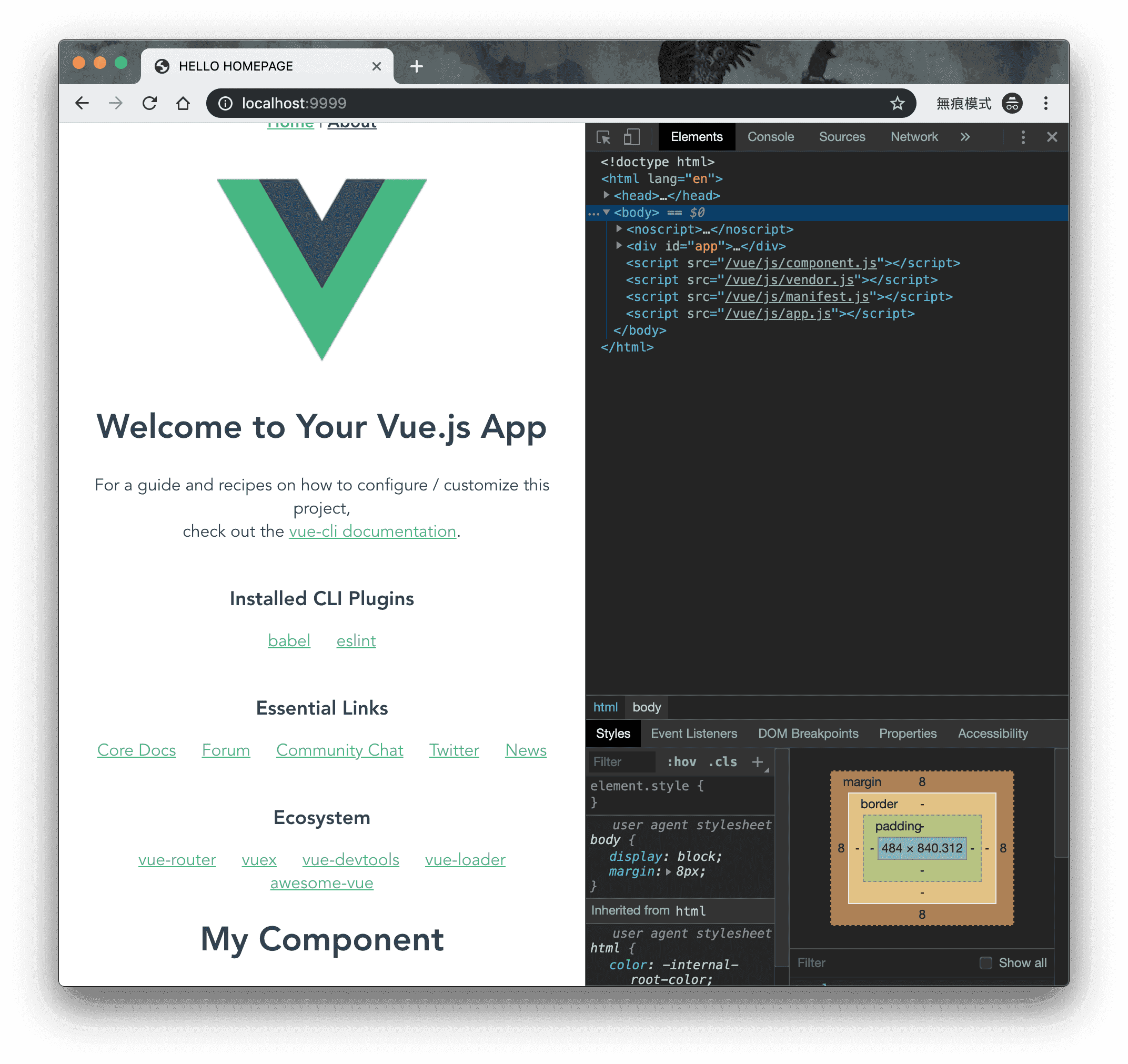
上面是正式環境編譯出來的結果。很遺憾的,如果是開發環境下,還是必須要在 `App.vue` 使用 `require` 的方式去拿到你要的元件。但是,如果是正式環境的編譯下,利用 Webpack 可以編譯出大家共用一組 Vendors,換句話說,
> 我的 Vue 就是你的 Vue
如此一來,我就不需要仰賴 `window` 來把我們 Vue 放到外面去,就能做到動態載入任何的 js 檔案,而那個檔案都是每次 Webpack 打包好的正式環境可以使用的 **元件檔案** 了。
還記得魔術方法嗎?上述的 `Home.vue` 僅用魔術方法將 `MyComponent.vue` 載入:
```html
```
而所謂 `MyComponent.vue` 其實是寫在剛剛的 `component.js` 裡面,利用 Webpack 封裝特性,這邊的 Vue 就會被提取出來。我不太確定目前 Vue CLI 3.0 利用 [Chaining](https://cli.vuejs.org/guide/webpack.html?ref=blog.hinablue.me#chaining-advanced) 能不能做到一樣的事情。
> 如果可以的話,我還是會繼續用 Webpack 。
歐,你問我為何我的 Github 上面沒有 Webpack,嗯,鐵人賽的倒數幾天我才會給你,別急(燦笑)。
---
## 小結
到頭來,還是回到 Webpack 會比較好一點。
> [Vue Enterprise Boilerplate](https://github.com/chrisvfritz/vue-enterprise-boilerplate?ref=blog.hinablue.me)
> 這裡可以挖到很多寶,推薦收藏。
> [ITHome 鐵人賽同步刊登 動態載入 Components Day 21](https://ithelp.ithome.com.tw/articles/10219347?ref=blog.hinablue.me)